





BIQU PopCap Top Cover for Snapmaker U1
Selling fast! 5 people have this in their carts.
Delivery in the UAE
Same-day delivery (Dubai only): order before 12:00 PM. Standard delivery cutoff 4:00 PM (UAE time).
- Same-day delivery: order before 12:00 PM. Currently available in Dubai only.
- Standard delivery: 1–2 business days. Order before 4:00 PM.
- Remote areas: 2–3 business days. No same-day delivery.
Orders placed after the cutoff, on Sundays or on public holidays are processed the next business day. No Sunday deliveries. Delivery times are estimates.
Check your delivery area
Return within 2 days of purchase (Original unopened package).
5% VAT included.
Guaranteed Safe Checkout

BIQU PopCap Top Cover for Snapmaker U1
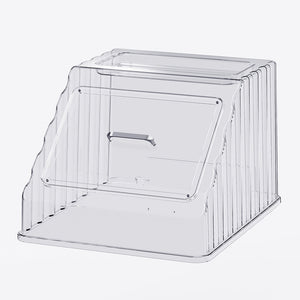
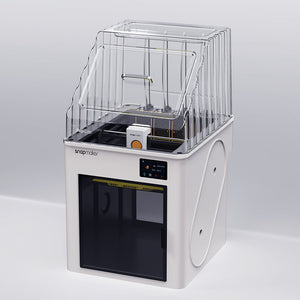
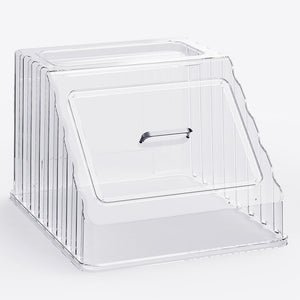
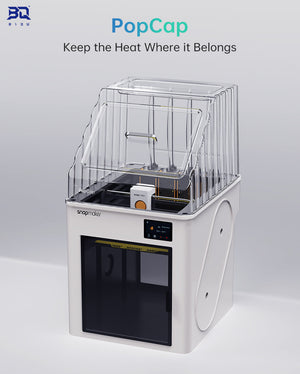
The BIQU PopCap is a transparent polycarbonate top cover that closes the open top of the Snapmaker U1. It holds chamber heat in and keeps room draughts out, which is what warping and layer splitting on ABS, ASA and nylon usually come down to. The shell is clear, so you keep a full view of the print, and a magnetic hatch on the front lets you reach in without lifting the whole cover off.
Key Features
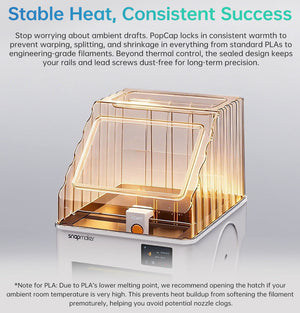
- Stabilises the print environment — closing the top reduces heat loss and draughts, the two most common causes of warping and poor layer adhesion on high-temperature filaments.
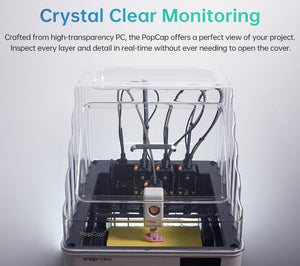
- Full visibility — the transparent polycarbonate shell lets you watch a print from any angle without opening anything.
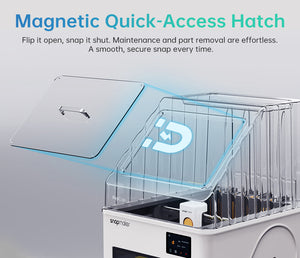
- Magnetic quick-access hatch — flip it open to clear a nozzle, change filament or pull a finished part, then close it without disturbing the chamber.
- Integrated tool tray — the moulded top tray keeps your hex keys, nozzle picks and cutters on the machine instead of lost on the bench.
- Quieter running — BIQU reports a reduction of around 15 dB with the cover fitted. Actual results depend on your machine, surface and room.
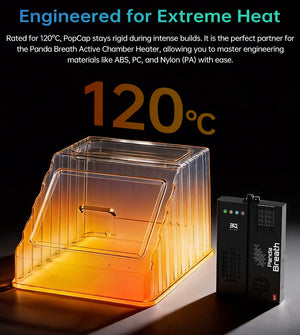
- Rated to 120 °C by BIQU — heat-resistant PC, specified by BIQU for an operating range of −40 °C to 120 °C.
- Ready for the Panda ecosystem — routing ports for Panda Breath and pre-drilled mounting positions for Panda Touch.
Why a Top Cover Matters on an Open-Frame Printer
The Snapmaker U1 ships as an open-frame machine. That is ideal for PLA and PETG, which prefer moving air. It is the wrong environment for ABS, ASA, polycarbonate and nylon, which shrink as they cool: a cool draught across the top of a tall print pulls the corners off the plate and splits layers partway up. Closing the top traps the heat the bed already produces and holds the air around the print still, which is usually enough to get those materials printing reliably on a desktop machine.
The side benefit is noise and dust. A closed top muffles the toolhead and keeps airborne dust off the print surface, which matters in a workshop and matters more in a home or office.
Technical Specifications
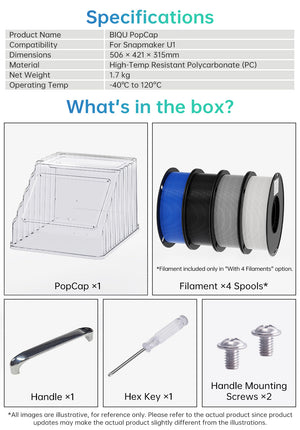
| Compatible printer | Snapmaker U1 |
|---|---|
| Product type | Top enclosure cover |
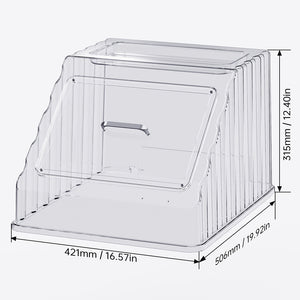
| Dimensions | 506 × 421 × 315 mm |
| Material | Heat-resistant polycarbonate (PC) |
| Colour and finish | Transparent |
| Operating temperature (listed by BIQU) | −40 °C to 120 °C |
| Noise reduction (reported by BIQU) | Approximately 15 dB |
| Net weight | 1.7 kg |
| Accessory ports | Panda Breath routing ports, Panda Touch mounting positions |
| Brand | BIQU |
What's in the Box
- PopCap top cover × 1
- Carry handle × 1
- Handle mounting screws × 2
- Hex key × 1
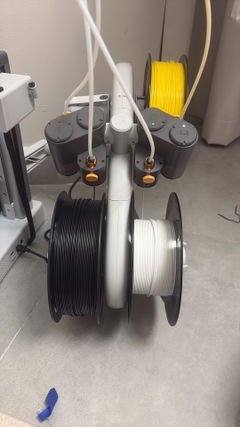
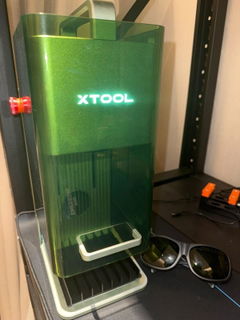
The printer is not included. Panda Breath, Panda Touch and any tools shown in the product photography are sold separately and are not part of this package.
Installation
Fit the carry handle to the cover with the two supplied screws and the hex key, then lower the cover onto the top of the U1. No tools beyond the supplied hex key are needed and nothing on the printer has to be modified. The cover lifts straight off whenever you want the machine open again.
Compatibility
Designed specifically for the Snapmaker U1 and no other printer. BIQU lists it for ABS, nylon (PA), polycarbonate and PLA work. Follow Snapmaker's own guidance for your filament and keep to the material's recommended chamber conditions.
Why Buy from Omnimakers
- Held in the UAE. Ordered from local stock rather than shipped in from an overseas marketplace, so it arrives in days instead of weeks.
- Priced in AED, all in. No customs surprises, no currency conversion on your card, no third-party import fee at the door.
- We run the U1 ourselves. Omnimakers stocks the Snapmaker U1 alongside its build plates, hotends, belts and cables, so if you ask us whether something fits, the answer comes from the machine on our bench rather than a spec sheet.
- Real support in your timezone. Questions about enclosure printing, material settings or fitment get answered by people who do this daily.
- One supplier for the whole machine. Cover, plates, nozzles, spares and filament from a single order and a single invoice.
Frequently Asked Questions
Will the PopCap fit printers other than the Snapmaker U1?
No. It is dimensioned for the U1 specifically. It will not fit Bambu Lab, Creality or Prusa machines.
Is the Snapmaker U1 printer included?
No. This listing is the top cover only. The printer in the photographs is shown for scale and context.
Does fitting the PopCap turn the U1 into a heated chamber?
No. It is a passive cover. It retains heat the heated bed already produces and blocks draughts, but it has no heater and BIQU does not specify it as an actively heated chamber.
Can I print ABS, ASA or nylon with it fitted?
That is the main reason to fit one. BIQU lists ABS, nylon (PA), PC and PLA applications. The cover gives those materials the still, warm air they need, though you should still follow Snapmaker's filament guidance and ventilate the room.
Does it filter fumes or smell?
No. A cover contains air, it does not clean it. ABS and ASA release odour and fine particles, so print them in a ventilated space. If you want filtration, the PopCap has routing ports for BIQU's Panda Breath, which is sold separately.
How much quieter will my printer be?
BIQU reports around 15 dB of reduction. That is a clear, noticeable difference in practice, but the figure depends on your machine, what it is standing on and the room, so treat it as indicative rather than guaranteed.
Do I have to take the whole cover off to change filament or clear a nozzle?
No. The magnetic front hatch flips open for routine access. You only lift the whole cover for bigger jobs.
Can I still see the print?
Yes. The shell is transparent polycarbonate, so you keep a view of the toolhead and the part from every side.
Will the polycarbonate yellow or deform over time?
BIQU specifies the material for continuous use between −40 °C and 120 °C, well above the air temperature a passive desktop enclosure reaches. Keep it out of direct sunlight and clean it with a soft cloth and mild soap rather than solvents or alcohol, which can craze PC.
Could trapping heat damage the printer?
A passive top cover on a machine designed to accept one does not push the chamber anywhere near the limits of the printer's own components. If you are running long high-temperature jobs, keep the room ventilated and watch the first few prints as you would with any change to your setup.
Is it hard to install? Do I need tools?
No and no. Two screws attach the handle, the hex key is in the box, and the cover simply sits on the printer. Five minutes.
Does it work with Panda Touch and Panda Breath?
Yes. There are pre-drilled mounting positions for Panda Touch and routing ports for Panda Breath. Neither device is included in this package.
How much room do I need for it?
The cover measures 506 × 421 × 315 mm. Allow for that above and around your U1, plus clearance to lift the cover off and to swing the magnetic hatch open.
What should I buy with it?
If you are moving to ABS, ASA or nylon, a hardened steel hotend and a textured PEI plate are the two upgrades that pair with it most often. Both are stocked for the U1.
| Type |
Top Cover |
|---|---|
| Variant |
Cover Only |
| Compatibility |
U1 |